Product tour

See how Steadyline works before you install it.

A screen-by-screen look at the app: daily tracking, medication context, pattern review, Ask SAM, and reports you can bring to care conversations.

daily signal
report ready
Steadyline app home screen preview
7 real app screens

Scroll the product

One phone, five jobs, changing as you move.

This is the part that should feel less like a gallery and more like the app is being opened up in front of you.

01 / Home

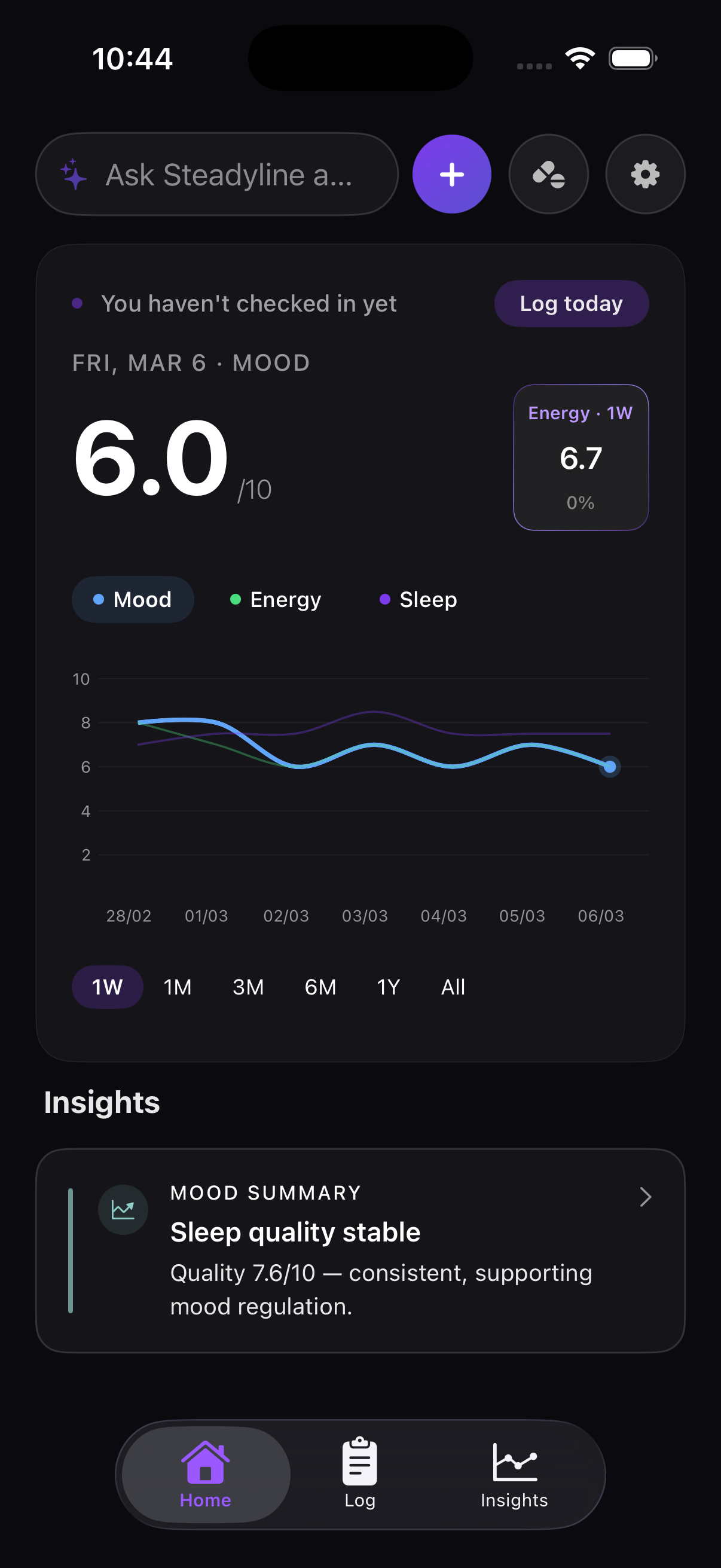
Daily command center

The first screen answers the practical question: what is happening today, and what needs attention now?

  • Latest mood, energy, and sleep trend in one view
  • Direct paths to log today, medication, settings, and Ask SAM
  • Current signals appear without making the app feel like a news feed
02 / Log

Fast check-ins without losing context

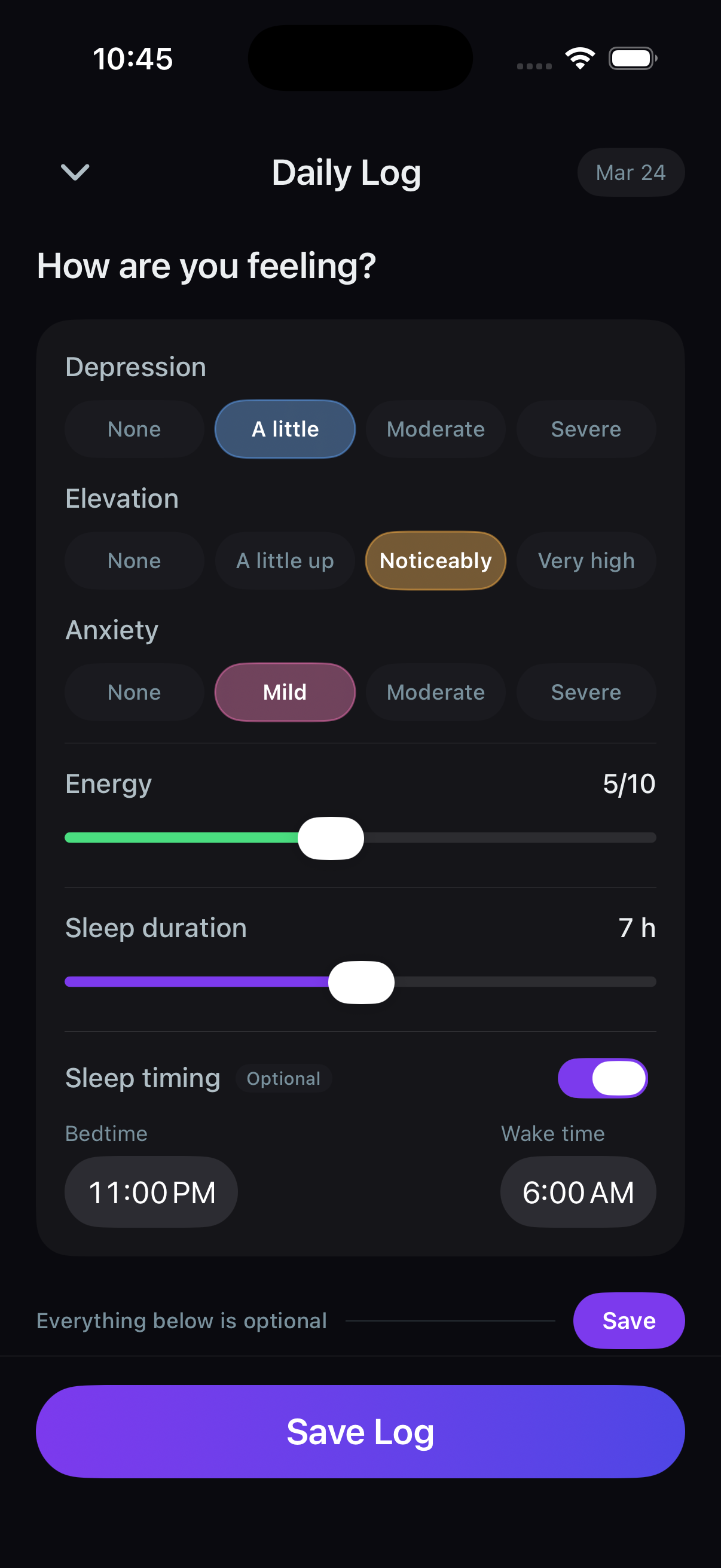
The log flow is meant to be usable on low-energy days: quick values first, optional detail only when the user has capacity.

  • Mood, energy, sleep, and notes stay together
  • Optional inputs do not block a basic daily check-in
  • Designed for repeated use, not a one-time questionnaire
03 / Medication

Medication as context, not a guilt system

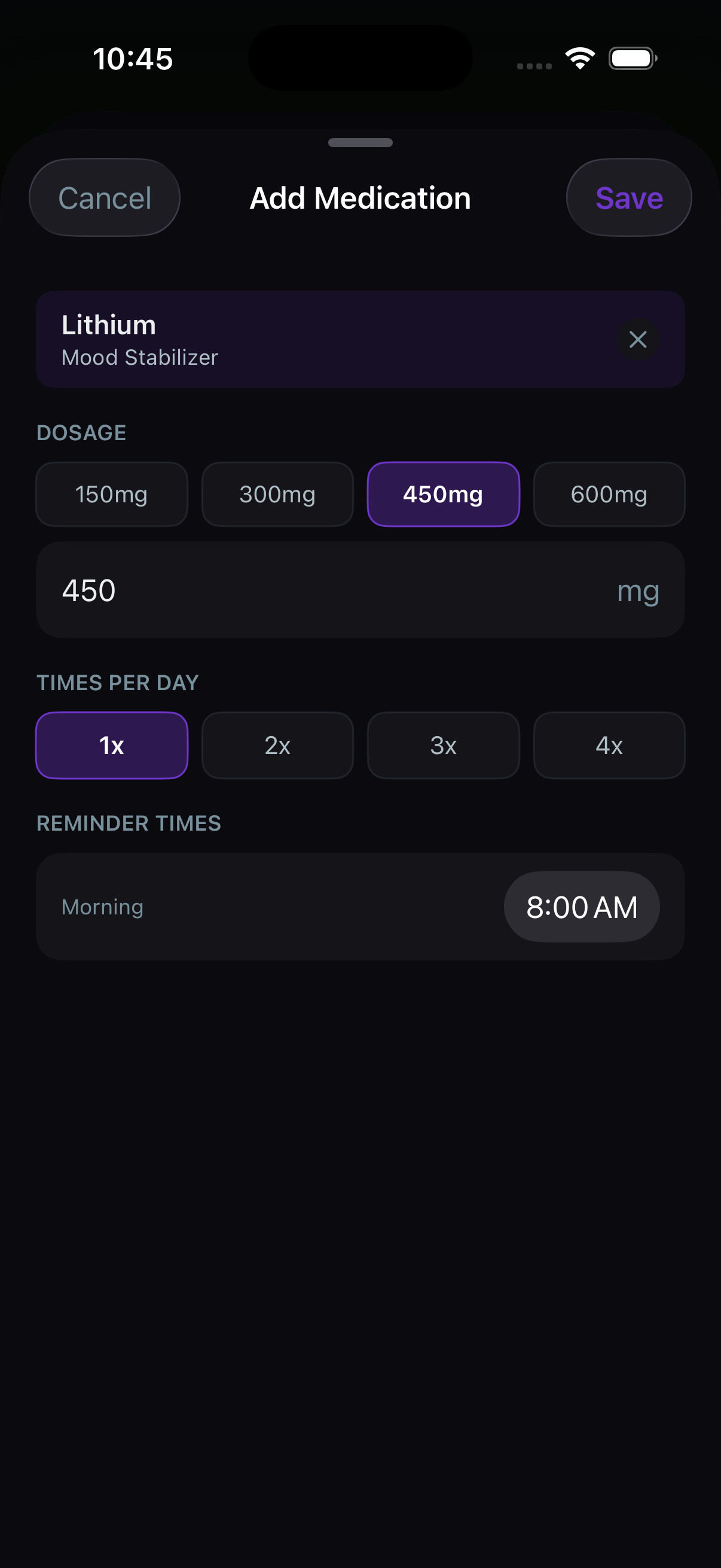
Medication tracking sits beside symptoms so patterns have treatment context without turning adherence into a streak game.

  • Daily adherence can be marked quickly
  • Medication changes can be compared with mood and sleep
  • Useful for care visits because context is stored with the timeline
04 / Insights

Patterns before memory rewrites them

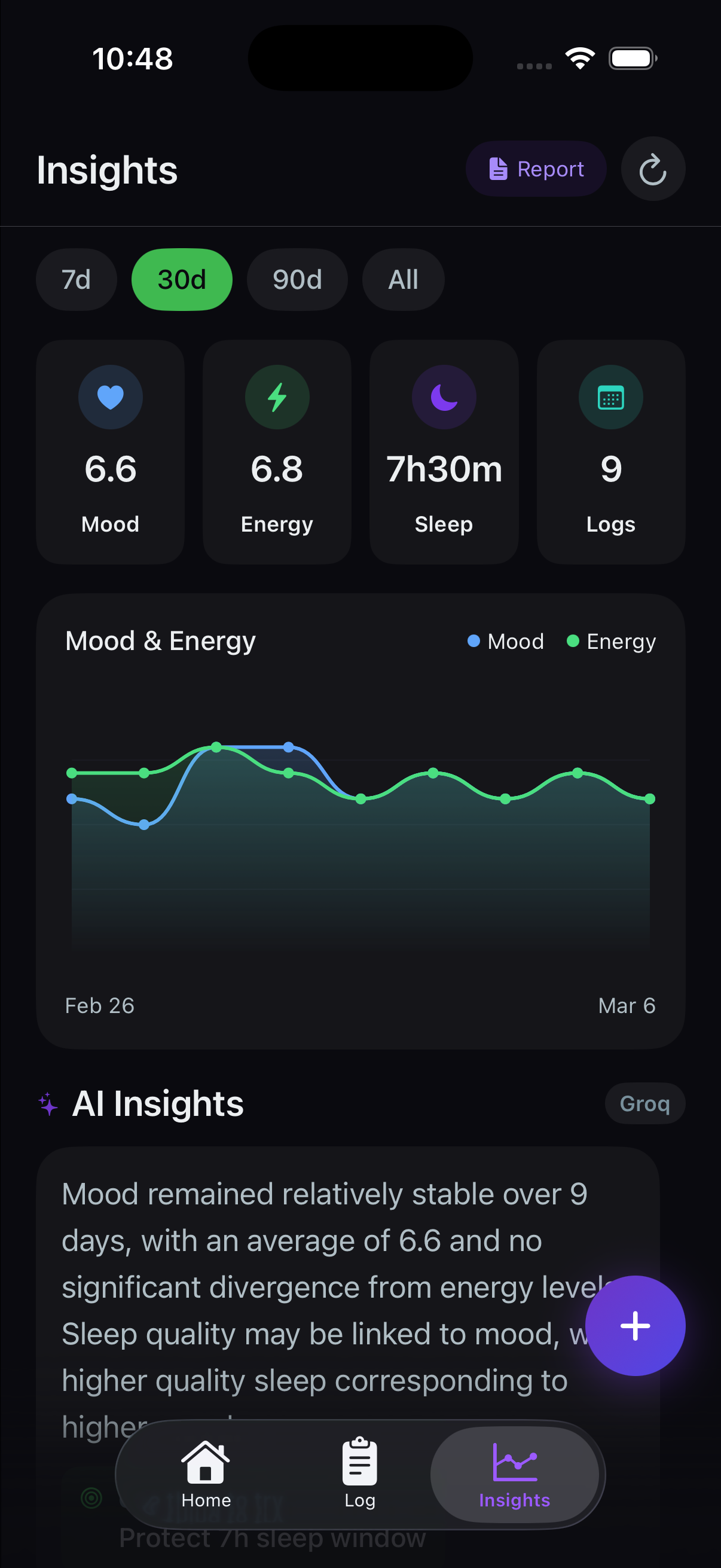
Insights turns logs into a review surface: charts, ranges, signals, and summaries that can be checked before a spiral becomes hindsight.

  • Mood, energy, sleep, and log count stay visible by range
  • Charts make multi-day changes easier to inspect
  • AI insights are grounded in logged data, not generic advice
05 / Ask SAM

Questions grounded in recent logs

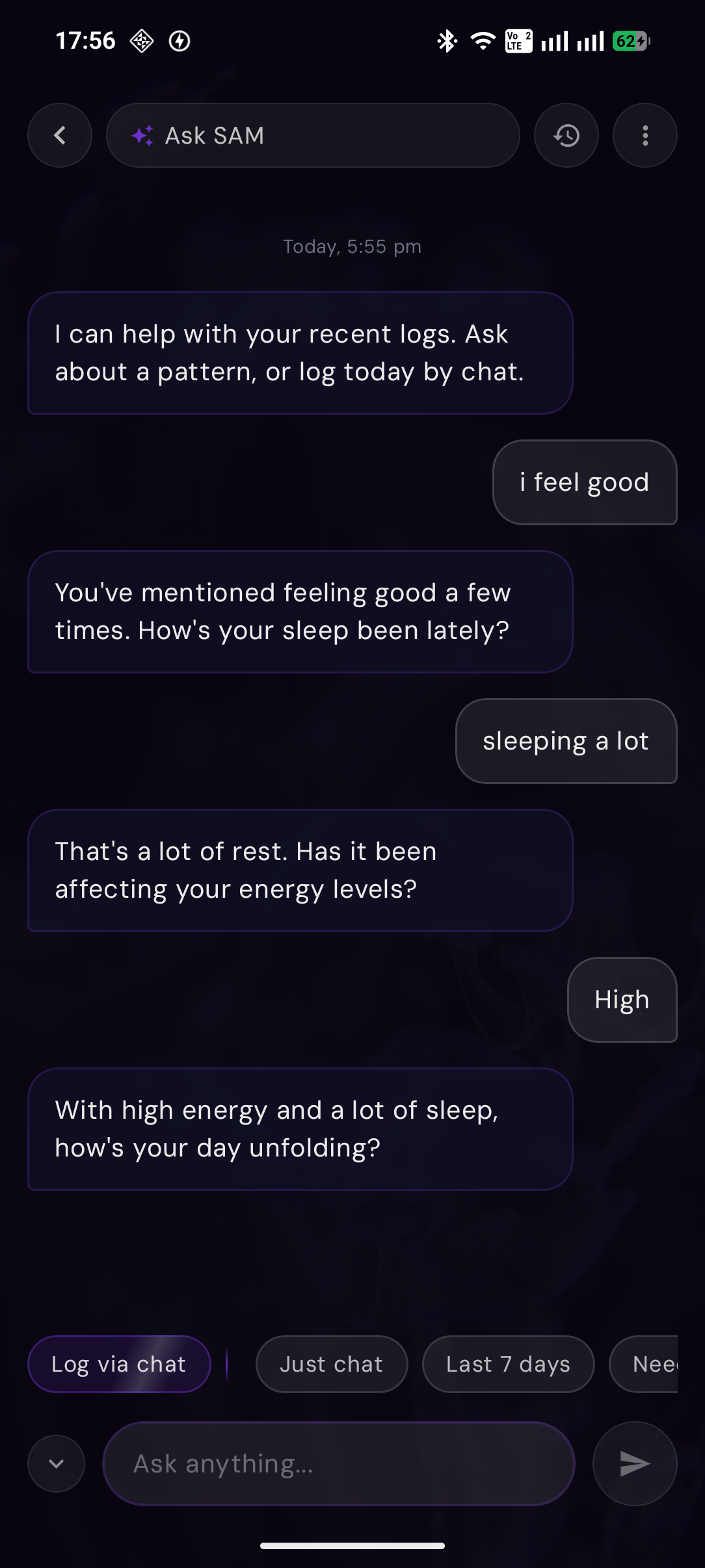
Ask SAM is the conversational layer for the moments when a user wants to ask about sleep, mood, patterns, or log today by chat.

  • Can answer questions about recent personal patterns
  • Supports both chat and log-by-chat behavior
  • Keeps the tone direct instead of pretending to be a clinician
Daily flow

From check-in to shareable signal.

01 / Home

Daily command center

The first screen answers the practical question: what is happening today, and what needs attention now?

Steadyline Home screen with mood trend, check-in status, and current insight card
02 / Log

Fast check-ins without losing context

The log flow is meant to be usable on low-energy days: quick values first, optional detail only when the user has capacity.

Steadyline Log screen for mood, energy, sleep, and optional context
03 / Medication

Medication as context, not a guilt system

Medication tracking sits beside symptoms so patterns have treatment context without turning adherence into a streak game.

Steadyline Medication screen for tracking daily medication adherence
04 / Insights

Patterns before memory rewrites them

Insights turns logs into a review surface: charts, ranges, signals, and summaries that can be checked before a spiral becomes hindsight.

Steadyline Insights screen with range filters, charts, and AI insight summary
05 / Ask SAM

Ask what changed

Ask SAM can turn the timeline into a conversation when a chart is not enough.

Ask SAM chat screen with recent-log conversation and quick mode chips
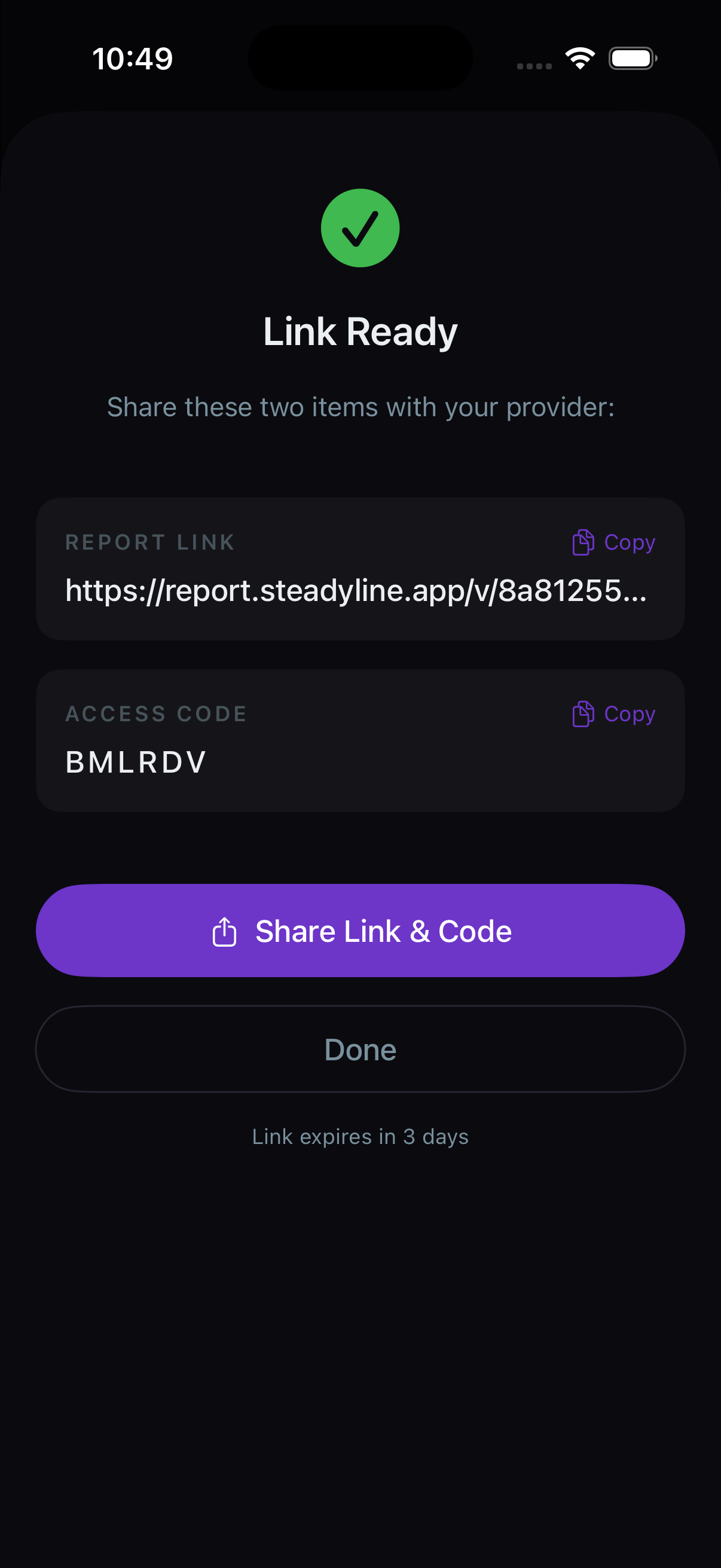
06 / Report

Share the summary

Generate a secure report link and access code for appointment prep.

Steadyline report ready screen with secure link and access code

Ask SAM

The chat should feel connected to the logs.

The point is not a generic chatbot. It is a quick way to ask what changed, what repeated, and what might be worth reviewing.

How was my sleep last week?
What triggers my lows?
Log today by chat
Ask SAM chat preview

06 / Reports

Appointment-ready summaries.

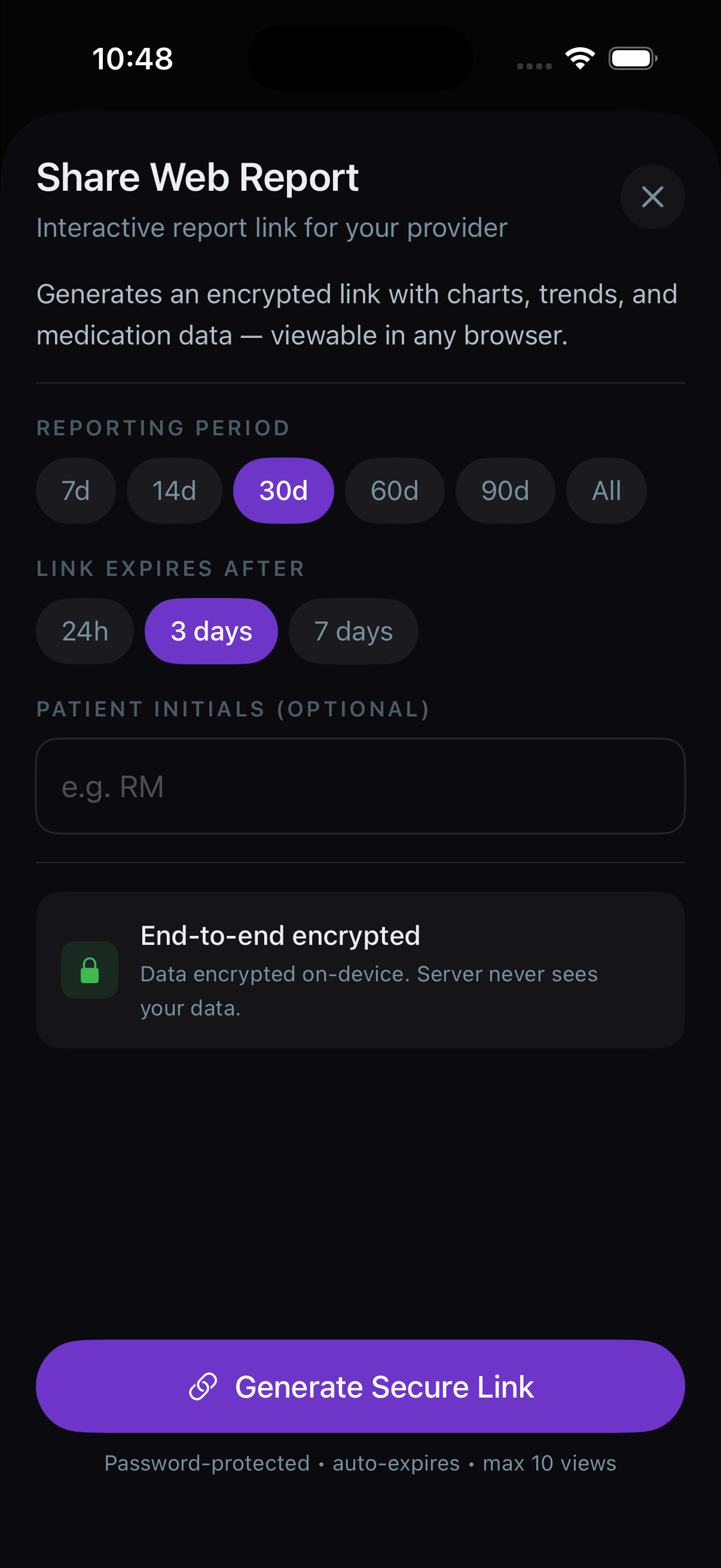
Reports are the bridge between daily logs and care conversations. The point is not more data; it is a clear summary that can be shared when needed.

  • Select the time range and the signals that matter for the visit.
  • Generate a PDF or a secure web link with an access code.
  • Use it to make the 15-minute appointment less dependent on memory.
Steadyline report setup screen for selecting report options
Build report
Steadyline report ready screen with secure link and access code
Share securely

What it proves

Serious, not noisy.

The product is not just a mood picker. It tracks context, lets patterns build over time, and keeps the interface calm enough to return to every day.

This page should keep growing with clean screenshots for Settings, onboarding, notifications, and premium states as those screens settle.

Try it

Start with one check-in.

Steadyline becomes useful as the timeline grows. The first job is simple: log enough signal that the app can start reflecting patterns back clearly.

Get Android Join iOS waitlist